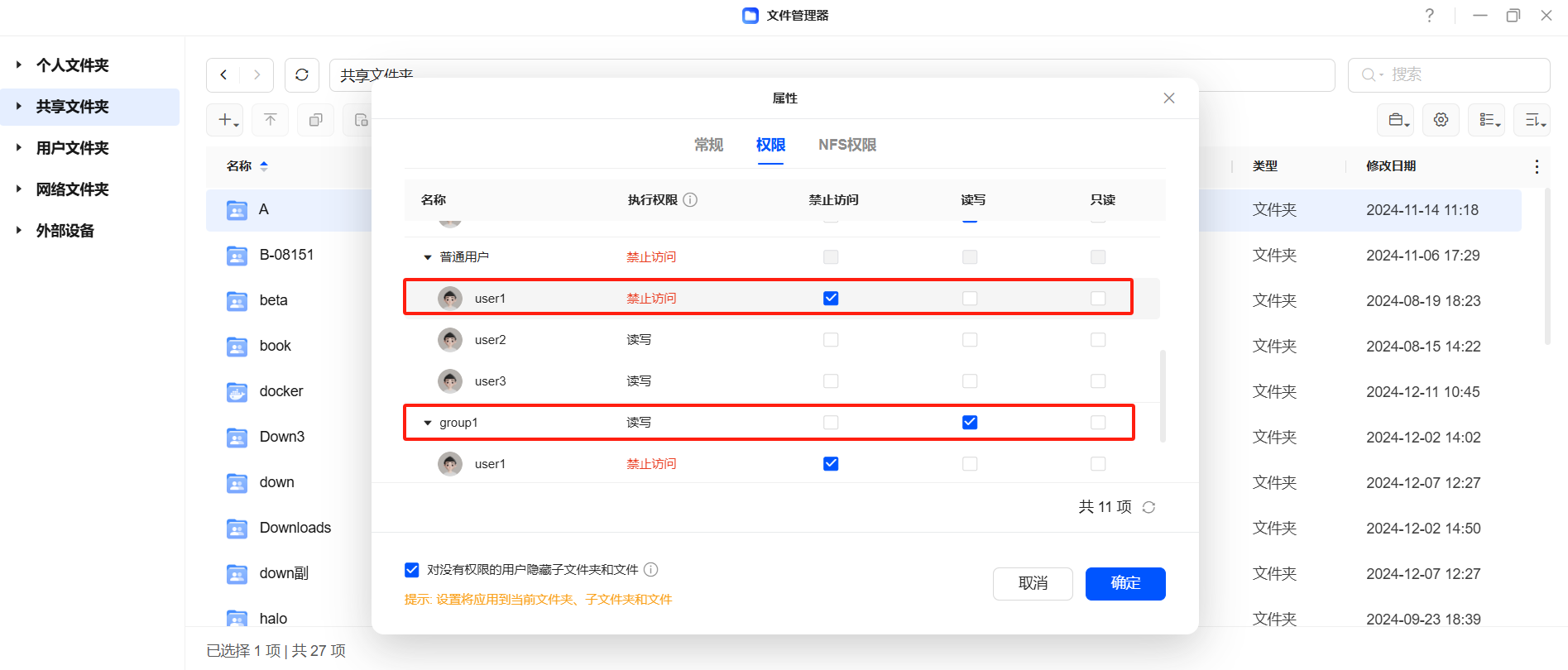
In the UGOS Pro system, when personal permissions conflict with the permissions of the user group to which the user belongs, the system follows the priority rule for permissions: "access denied > read/write > read-only ", ensuring that personal permissions always take precedence over user group permissions. This is to prevent the security risks caused by the user group permissions being too high when the user's personal permissions are low (e.g. access denied). With this rule, the system can achieve stricter access control and prevent unauthorized access.
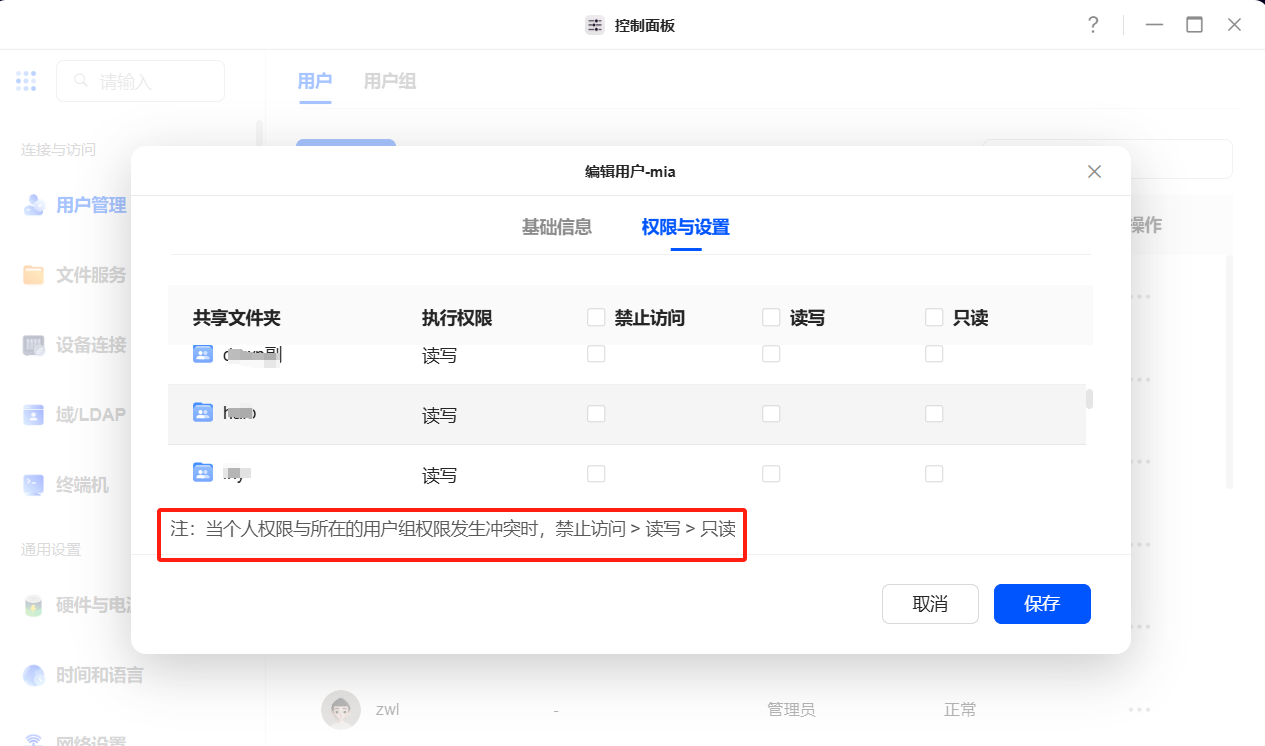
Permission definitions and conflict scenarios
1. Definition of rights
-
Individual permissions: The permissions assigned to a user individually in a shared folder represent the direct permissions control for that user.
-
Group permissions: A uniform permission configuration for a group of users that affects all members of the group.
2. Typical scenarios of permission conflicts
Suppose the following permissions are configured for a shared folder:
-
User
user1'sindividual rights are "no access ". -
The permissions of user group
group1are "read and write ", anduser1is a member of this user group.
In this case, the system will process according to the permission priority rules, and the personal permission "Deny access " will be given priority.
Priority rules for permissions
1. Forbidden access takes precedence
When the personal privilege is "deny access ", the user cannot access the shared folder, regardless of the user group privilege setting.
2. Read and write privileges take precedence over read-only privileges
If the individual right is "read and write " and the user group right is "read only ", the individual right takes precedence. In this case, the user has read and write permissions and can perform operations such as uploading, editing, and deleting.
3. Individual permissions take precedence over user group permissions
If the individual permission is "read-only" and the user group permission is "read and write ", the system will restrict the user to read-only access to shared files and prevent them from making changes.
Example of practical application
Suppose a shared folder has the following permission configuration:
1. Individual configuration of personal permissions
If only user1 is set to have "read and write " permissions, then user1 can read and write to the shared folder, regardless of whether or not they belong to the user group.
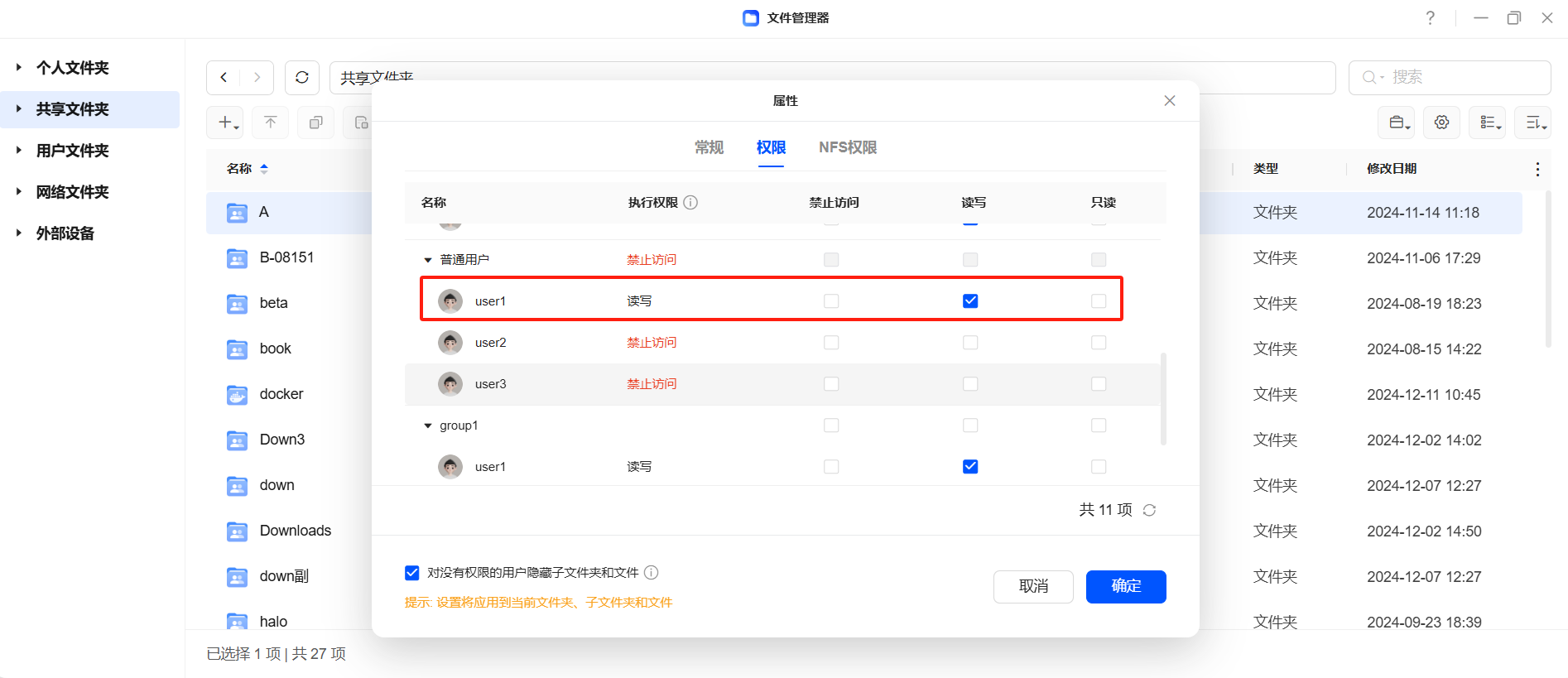
2. Configure only the user group permissions
If only the user group group1 is set to "read only ", all members of group1 can only access the shared folder with read-only permissions and cannot make modifications.
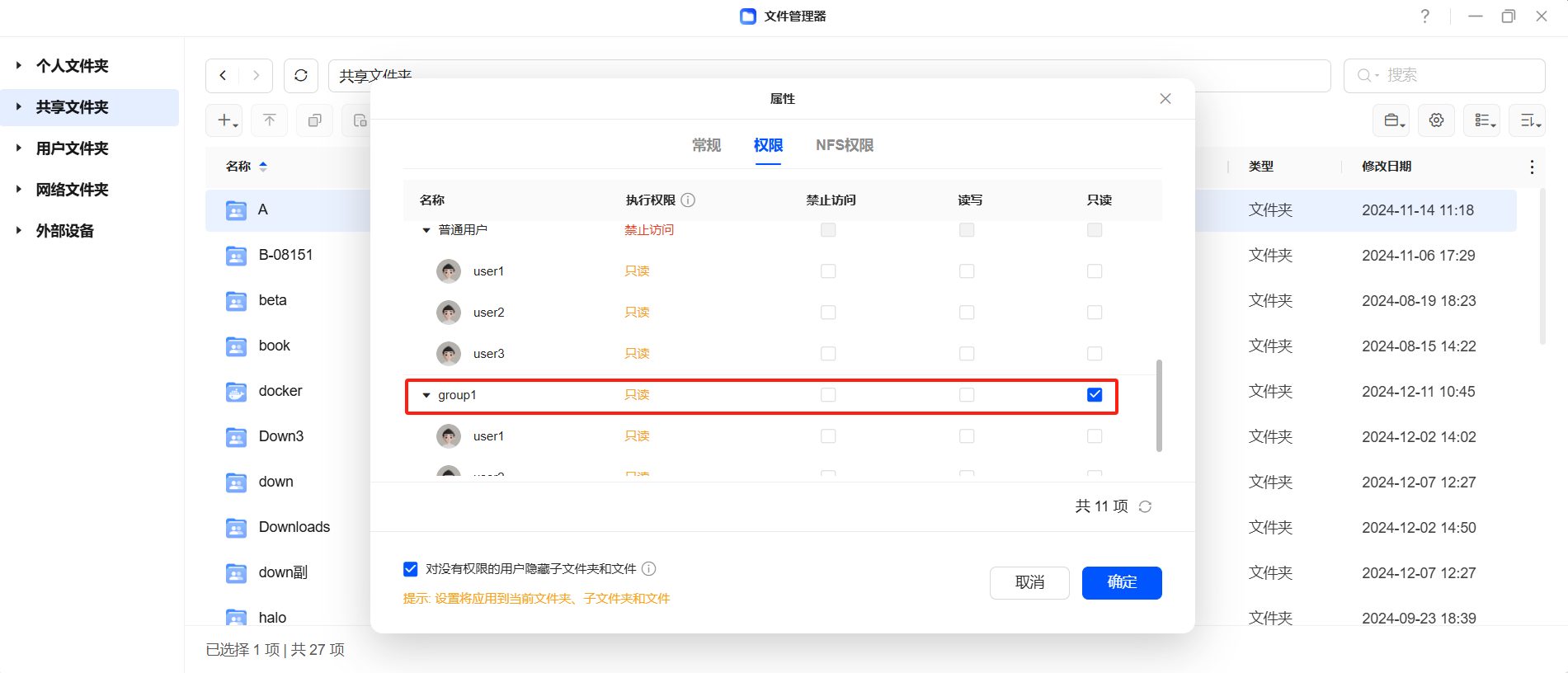
3. Individual permissions and user group permissions conflict
For example, if user1 belongs to group1 and the two permissions conflict:
user1'spermissions: no access
group1permissions: read-only
Final execution permission: According to the priority rules, user1 cannot access the shared folder.