1, TMDB Introduction
TMDB (The Movie Database) is a public film and television database website with complete data on movies, TV shows, actors and crews, which can be called the Wikipedia of the film and TV industry, and all the entries can be created and edited by users.
And, TMDB open API application, users can apply for API to get TMDB's video information, posters and other data.
2、Purpose of applying API key
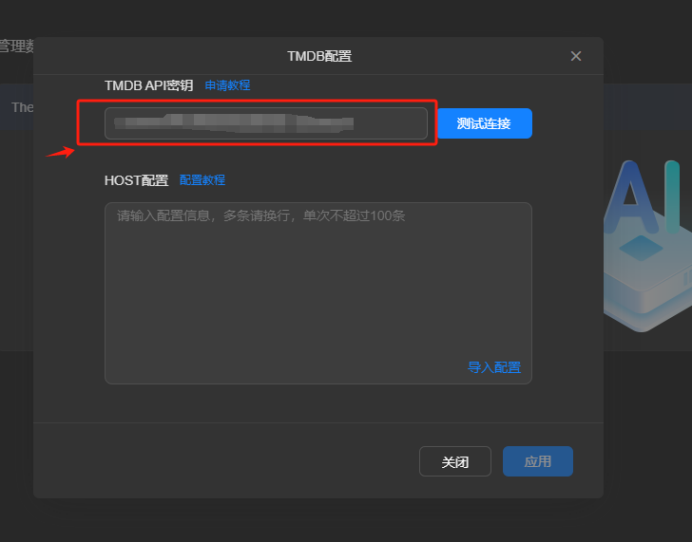
By filling in the API key, you can make Greenlink Film and TV Centre information access plug-in to connect to TMDB to get video information and pictures, enrich the video content information you download and collect, and make up a beautiful poster wall and a detailed video content page.
Note: Using TMDB to get information should follow itsuser agreement(https://www.themoviedb.org/terms-of-use).
3、Operation steps
1) Visit the official website of TMDB (https://www.themoviedb.org/), log in or create an account
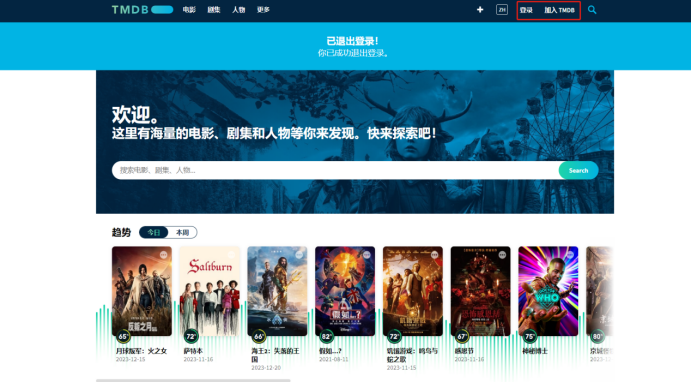
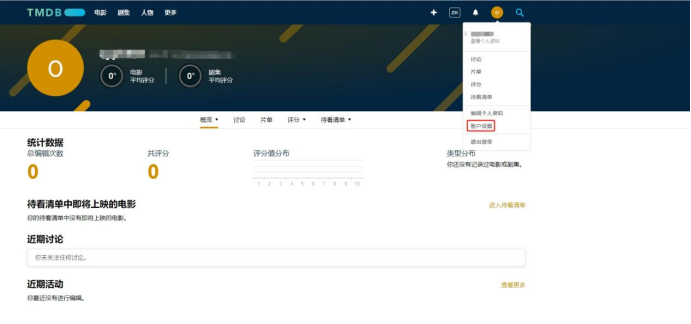
2) Click [Personal Settings
(3) Switch to the API menu, select [Request API Key].
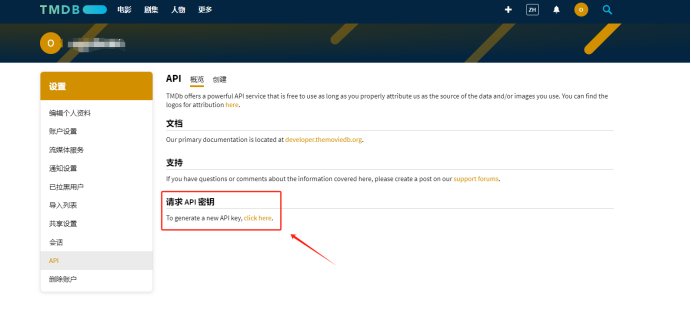
4)Create an account as Developer
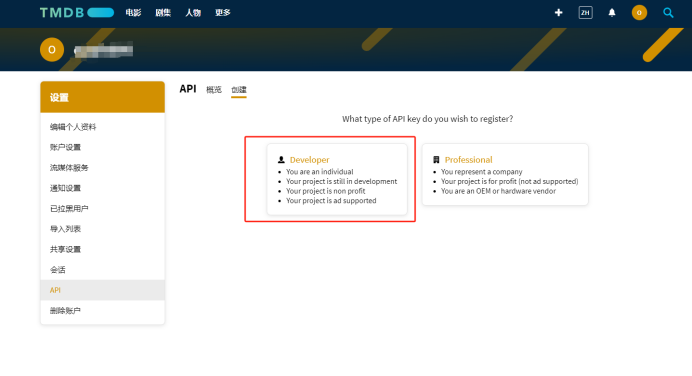
5)Agree to the terms of use and fill in the required information
-
Usage type: Select a usage type from the drop-down menu (e.g. Personal)
-
Application Name: Specify the application for which the API key is to be used (e.g. Video Center).
-
Application URL: the address of the application (you can fill in the IP address of your Greenlink NAS device)
-
Application Profile: Briefly describe your application and how to use the API, the following text can be used for reference
Video Centre is a home multimedia application, the application API is used to obtain TMDB video data and poster images to build a beautiful poster wall.
-
Other personal information: Fill in your information according to the actual
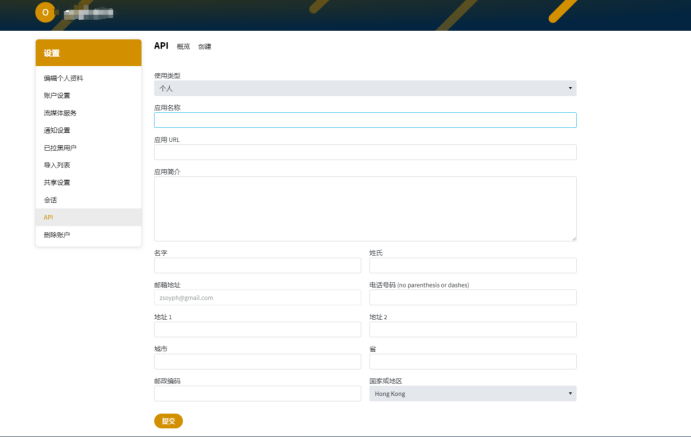
*The information you fill in will be kept by TMDB, and Film and TV Centre will not get your personal information in any way.
6)Submit, wait for the system to process to generate the key
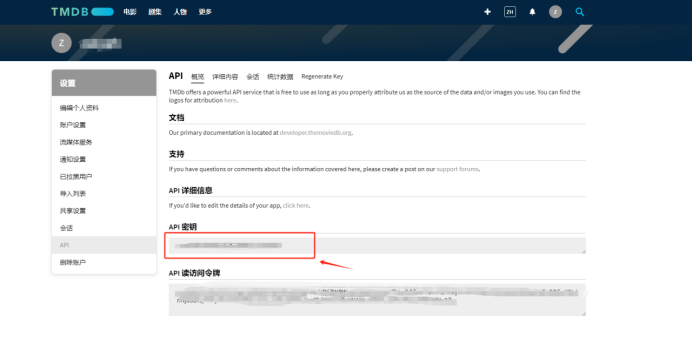
After generating the key, you can copy your key in API menu, fill in the corresponding configuration item in Greenlink Film and TV Centre->Console->Data Source Management->TMDB, and then you can use the video information and pictures of TMDB to build your own film and TV library after successful testing and connection,